
Updated September 2026 — pricing verified against provider sites and independent Canadian plan trackers this week and subject to change.
The best VoIP providers in Canada right now are VoIP.ms and Ooma for tech-savvy, cost-conscious users (from $4.25/month), magicJack and Talkit for the simplest plug-and-play setup (from $4.75/month), and VoIP Much or VoIPLy for a fully-featured, no-contract Canadian home phone replacement (from $8.95–$9.45/month). For small businesses, Ooma Office, RingCentral, and 8x8 lead the market, with entry pricing generally in the $20–$30 per user per month range. All of these route calls over your existing internet connection instead of a copper landline, typically cutting a traditional $30–$60/month landline bill down to $5–$20/month.
Traditional copper landlines are being phased out across Canada as major carriers wind down PSTN infrastructure, and VoIP (Voice over Internet Protocol) has become the default replacement, for home phones and small business phone systems alike. This guide compares every serious residential VoIP option available in Canada right now, plus a look at business VoIP, the hardware you'll actually need, and what to check before you switch.
On this page
- What Is VoIP and How Does It Work?
- Why Landlines Are Disappearing in Canada
- Best Residential VoIP Providers
- Provider Deep Dives
- VoIP vs. Traditional Landline
- Best VoIP by Use Case
- Best Business VoIP Providers
- What Affects VoIP Call Quality
- Common VoIP Problems & Fixes
- Hardware You'll Need
- Your Internet Connection Matters
- How to Set Up VoIP
- VoIP Glossary
- FAQ
What Is VoIP and How Does It Work?
Voice over Internet Protocol (VoIP) converts your voice into digital data packets and sends them over your internet connection instead of a dedicated copper phone line. In practice, that means your home phone (or business phone system) works exactly the same way for the person calling you, but it rides on your existing broadband instead of a separate, expensive landline circuit. Most Canadian VoIP providers include caller ID, voicemail-to-email, call waiting, and unlimited Canada or Canada-US calling as standard, features that traditional landline providers often charge extra for.
Technically, a VoIP call works in three steps. First, your phone, whether it's an analog handset plugged into an adapter, a dedicated IP phone, or a softphone app, captures your voice and compresses it into digital packets using a codec (a compression standard). Second, those packets travel across the internet to your VoIP provider's servers, which route the call using SIP (Session Initiation Protocol), the signaling standard almost the entire VoIP industry runs on. Third, the provider connects your call to the destination, whether that's another VoIP user, a landline, or a mobile phone, through interconnection agreements with Canada's telecom networks. All of this happens in milliseconds, which is why a well-configured VoIP call sounds identical to a traditional one.
The two broad categories of VoIP service are hosted VoIP, where the provider manages everything and you simply plug in a device or open an app, and self-managed VoIP, where you configure your own SIP account, often through a service like VoIP.ms, and supply your own hardware. Hosted services trade a bit more cost for simplicity; self-managed services trade a bit of setup complexity for the lowest possible price.
Why Landlines Are Disappearing in Canada
Canada's traditional copper phone network, the PSTN (Public Switched Telephone Network), is being progressively wound down by major carriers as they shift infrastructure investment toward fibre and wireless. Maintaining aging copper lines is expensive relative to how few Canadians still use them as a primary phone, and both the economics and the underlying hardware are pushing the entire industry toward IP-based calling, whether that's VoIP over a fixed internet connection or calling handled entirely over a mobile network. For consumers, this shows up as landline providers raising prices, discontinuing standalone home phone plans, or pushing customers toward bundled VoIP-based "digital phone" services that use the same underlying technology as the third-party VoIP providers in this guide, just sold by your existing carrier.
This is one of the main reasons VoIP adoption has accelerated in Canada, it isn't simply a cheaper alternative for cost-conscious switchers anymore, it's increasingly the only kind of phone service being actively developed and supported. Choosing a modern, well-reviewed VoIP provider now, on your own terms, is generally a better position to be in than waiting for a legacy landline plan to be discontinued or repriced.
Best Residential VoIP Providers in Canada
If you're replacing a home landline, these are the current standouts, ranging from dead-simple plug-and-play services to fully customizable, pay-as-you-go setups for anyone comfortable configuring their own device.
| Provider | Monthly Price | Setup Fee | Included Calls | Best For |
|---|---|---|---|---|
| VoIP.ms | From $4.25 | N/A | Pay-as-you-go / varies | Tech-savvy users, BYOD, total configuration control |
| Ooma | From $4.25/mo (plus one-time Telo device) | Free | Canada & US | A "landline feel" with an app and Bluetooth integration |
| magicJack | From $4.75 | Free | Canada & US | Cheapest true plug-and-play device |
| Talkit | From $4.99 | Free | Canada | Simplest option: caller ID and voicemail, nothing extra |
| CallCentric | $0 (free plan available) | Free | Pay per call | Very light or occasional callers, BYOD |
| VoIPLy | From $8.95 | Free | Canada, US & 50+ countries | Frequent international callers, no contract |
| VoIP Much | From $9.45 | Free | Canada & US | Canadian-operated service, 30+ included features |
| 1-VOIP | From $11.21 | Free | Canada & US | Included cloud storage, free adapter, no contract |
Pricing verified against provider sites and an independent Canadian plan tracker as of early September 2026. Taxes and regulatory fees are typically added on top of the advertised monthly price. Confirm current pricing directly with each provider before signing up.
Which one should you actually pick? If you want to plug in a device and never think about it again, Ooma or magicJack are the easiest path. If you're comfortable with a bit of setup and want the lowest possible bill, VoIP.ms is the most cost-effective option for anyone bringing their own analog telephone adapter. If you make frequent international calls, VoIPLy's 50+ country coverage is hard to beat at that price point.
Provider Deep Dives
The comparison table above covers the essentials, but each of these providers has a genuinely different setup experience, feature set, and ideal customer. Here's a closer look at the five most commonly recommended options.
VoIP.ms
VoIP.ms is the choice for anyone comfortable with a bit of technical setup in exchange for the lowest possible monthly cost. Rather than a flat monthly fee, most customers pay per-minute rates or a small flat rate for unlimited calling add-ons, plus a nominal charge to keep a phone number active. You'll need your own SIP-compatible hardware, typically an ATA adapter like the Grandstream HT801 covered below, or a softphone app. In exchange, you get granular control: multiple numbers, call routing rules, fax-to-email, and servers hosted in Canada, which matters to some users for data residency reasons. This isn't the provider for someone who wants zero configuration, but for anyone willing to spend twenty minutes on setup, it's consistently the cheapest genuinely reliable VoIP option in Canada.
Ooma
Ooma is built for people who want the "landline feel" without the landline bill. You buy the Ooma Telo device once, plug it into your router and your existing home phone, and you're calling within minutes, no SIP configuration required. The base service is genuinely free for unlimited Canada-wide calling, you only pay monthly taxes and regulatory fees, which typically land in the $5–$7 range. Ooma also offers a mobile app for calling on the go under your home number, Alexa and Google Home integration, and an optional Ooma Premier tier with call recording and multi-ring. It's the closest thing to a true landline replacement for someone who doesn't want to think about VoIP as "technology" at all.
magicJack
magicJack is the simplest possible entry point: a small USB or standalone device that plugs into your router, paired with a low, mostly flat annual or monthly fee covering unlimited Canada and US calling. It lacks some of Ooma's polish and smart-home integrations, but it's typically the cheapest hardware-based option for someone who just wants a working home phone without any ongoing configuration.
VoIPLy
VoIPLy stands out for international callers. Where most residential VoIP providers cap included calling at Canada and the US, VoIPLy's plans extend to 50 or more countries, making it a strong pick for households regularly calling family overseas. It ships with a free adapter, requires no contract, and backs sign-ups with a 30-day money-back guarantee, a reasonable way to test call quality on your specific internet connection before committing.
VoIP Much
VoIP Much markets itself specifically as a Canadian-operated service, which matters to some customers looking to keep their phone service and billing entirely within Canada. It bundles more than 30 features into its base price, including free number porting, and is positioned as a fuller-featured alternative to the bare-bones budget options, without stepping up to business-VoIP pricing.
VoIP vs. Traditional Landline
| Factor | VoIP | Traditional Landline |
|---|---|---|
| Monthly cost | Low ($5–$20) | High ($30–$60) |
| Installation | Easy, DIY in most cases | Often requires a technician visit |
| Mobility | Works anywhere with internet, including a mobile app | Fixed to the home |
| Power outage reliability | Depends on internet and power staying on, unless you have a UPS battery backup | Often continues working during a power outage |
Worth knowing: because VoIP depends on your internet connection and, for most setups, your home's electrical power, it will stop working during a power outage unless you have a battery backup (UPS) keeping your router and VoIP adapter running, or you've set up call forwarding to your mobile phone in advance. This is the one genuine trade-off against a traditional copper landline.
Best VoIP by Use Case
The "best" VoIP provider genuinely depends on who's using it. Here's how the picture changes across the situations we hear about most often.
- Seniors replacing a landline: Ooma or magicJack are the strongest fits, since both plug into an existing cordless or corded phone with no app or account configuration required day-to-day, preserving the exact experience of a traditional landline.
- Renters and frequent movers: Any softphone-based or app-first VoIP service travels with you automatically, since your number lives in the cloud rather than being tied to a physical address the way a landline is. Just remember to update your registered 911 address every time you move.
- Rural Canadians on satellite or fixed wireless internet: VoIP call quality depends heavily on connection stability rather than raw speed, so if your internet has noticeable latency or jitter, a provider with a generous free trial or money-back guarantee, like VoIPLy, lets you test actual call quality before committing to hardware.
- Households calling internationally: VoIPLy's 50+ country inclusion, or VoIP.ms's low per-minute international rates for anyone comfortable with pay-as-you-go billing, both beat providers that only include Canada and US calling.
- Small businesses and home offices: Residential VoIP providers generally lack call queues, auto-attendants, and multi-user management. Once you need more than one line working together, it's worth stepping up to a dedicated business VoIP platform, covered below.
Best Business VoIP Providers in Canada
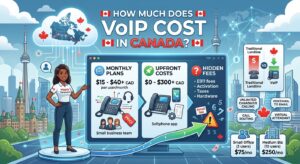
Business VoIP pricing works differently than residential, it's charged per user per month, and scales with the features you need. Entry-level plans typically run $15–$40 per user/month for the essentials (call forwarding, voicemail-to-email, basic analytics). Mid-tier plans with CRM integrations, call recording, and AI-driven features run roughly $50–$70 per user/month. Enterprise packages with fully customizable call flows can exceed $100 per user/month.
| Provider | Starting Price | Best For |
|---|---|---|
| Ooma Office | $19.95–$29.95/user/mo (3 tiers) | Small businesses wanting simple, reliable setup |
| MightyCall | From ~$25/mo (lowest tier) | Solopreneurs and very small teams |
| CloudTalk | From ~$19–27/user/mo | Inbound/outbound call centre operations, 160+ countries |
| RingCentral | Quote-based | Feature depth, larger teams needing an all-in-one platform |
| 8x8 | Quote-based | Businesses with frequent international calling needs |
| GoTo Connect | Quote-based | Teams already using GoTo's meeting/collaboration tools |
Several enterprise-focused providers (8x8, GoTo Connect, RingCentral) no longer publish fixed public pricing and require a sales quote. Figures above reflect publicly available pricing as of September 2026.
Ooma Office is generally the easiest recommendation for a small Canadian business moving off a landline for the first time, since its three-tier pricing structure is transparent and it shares the same reliable underlying network as Ooma's residential service. RingCentral and 8x8 are better suited to businesses that have outgrown a simple phone line and need a full unified communications platform, video, messaging, and voice in one system, but expect to go through a sales conversation to get exact pricing. CloudTalk and MightyCall sit in between, offering more call-centre-style features (intelligent routing, workflow builders) at a lower per-user cost than the enterprise tier, making them a reasonable fit for growing sales or support teams that need more than a basic line but aren't ready for enterprise pricing.
What Affects VoIP Call Quality
When a VoIP call sounds choppy, delayed, or garbled, the cause is almost always one of three network issues, not the VoIP provider itself.
- Latency is the delay between when you speak and when the other person hears it. Anything under about 150 milliseconds is generally imperceptible; delays beyond that start to feel like the awkward lag you notice on some international calls.
- Jitter is variation in that delay from one packet to the next, which is what causes audio to sound choppy or robotic even when overall latency is low. A router with QoS settings specifically helps smooth out jitter by keeping voice packets moving consistently instead of getting bunched up behind other traffic.
- Packet loss happens when some of the data making up your call never arrives, causing brief gaps or dropped words. This is usually a sign of a congested or unstable connection, common on older DSL lines, oversubscribed WiFi, or satellite internet during peak hours.
In practice, a wired Ethernet connection between your router and your VoIP adapter or computer eliminates most WiFi-related jitter and packet loss entirely, and is worth doing if your ATA or device is anywhere near your router.
Common VoIP Problems and How to Fix Them
- Choppy or robotic-sounding calls: usually jitter. Enable QoS on your router and prioritize voice traffic, or switch your VoIP device from WiFi to a wired Ethernet connection if possible.
- Calls dropping mid-conversation: often packet loss from an unstable connection. Run a speed test during a dropped call to check for unusual latency spikes, and contact your internet provider if the issue is consistent rather than occasional.
- One-way audio (you can hear them, they can't hear you, or vice versa): almost always a router or firewall configuration issue, specifically NAT (Network Address Translation) interfering with how VoIP packets are routed. Most VoIP providers publish specific router settings or a compatible router list to resolve this.
- Echo on calls: can come from the analog phone itself, a loose connection at the ATA adapter, or occasionally the person you're calling using speakerphone on their end. Try a different handset before assuming the VoIP service is at fault.
- Delayed dial tone or slow call setup: often a DNS or SIP registration delay rather than a call-quality issue. Restarting your VoIP adapter or router typically resolves this.
Hardware You'll Need
Most VoIP setups need one of three things: a dedicated adapter box (ATA) to plug your existing analog phone into, a standalone VoIP device like an Ooma Telo, or nothing extra at all if you're using a softphone app on your computer or mobile. A router that supports Quality of Service (QoS) also makes a real difference in call clarity, since it lets voice traffic get priority over background downloads or streaming.
Ooma Telo Free Home Phone Service
Connects to your internet and existing home phone. Free unlimited Canada-wide calling, pay only taxes and fees.
Check Price →Grandstream HT801 Analog Telephone Adapter
The standard ATA for VoIP.ms and similar BYOD services. Plugs your existing phone into any SIP-based VoIP account.
Check Price →TP-Link Archer AX55 WiFi 6 Router
Supports Quality of Service prioritization, so voice calls stay clear even while others stream or game on the same network.
Check Price →TP-Link Deco M5 Mesh WiFi System
For larger homes using a mobile softphone app throughout the house, keeps a strong, consistent signal for clear VoIP calls in every room.
Check Price →As an Amazon Associate, PlanGenius earns from qualifying purchases made through the links above, at no additional cost to you. Prices on Amazon.ca change frequently — always confirm the current price on the product page before buying.
Your Internet Connection Matters
Since VoIP runs entirely over your home internet, a stable connection is what actually determines call quality, not your VoIP provider. A VoIP call itself is very light on data, roughly 100 kbps, meaning a full hour-long call uses only about 45–50MB, negligible even on a limited data plan. What matters more is a stable connection with minimal packet loss. If your current internet is unreliable or your plan is outdated, it's worth checking what else is available at your address before you commit to a VoIP switch.
Oxio Internet
From ~$63/mo (120 Mbps), free eero router, no contract
Telus PureFibre
Symmetrical fibre internet with a 5-year price lock
Wakey Internet
Zap-Sale pricing from $29/mo, unlimited data, no contract
Diallog Internet
DSL from $17.50/mo (intro), gigabit cable available
For a full breakdown of what speed you actually need, see our guide on how much internet speed you need, or compare every provider at your address using our internet comparison tool.
How to Set Up VoIP
Confirm your internet can support it
A stable connection of at least 5 Mbps is generally recommended for clear VoIP calls. See our guide to improving WiFi signal if you're on WiFi rather than a wired connection.
Choose your hardware
An ATA adapter lets you keep using your existing analog phone. A dedicated VoIP device like Ooma Telo is the simplest all-in-one option. A softphone app works with no extra hardware at all, just your computer or mobile device.
Port your existing number (optional)
Most Canadian VoIP providers support local number portability. Porting a geographic number typically takes 7 to 12 business days, don't cancel your old service until the transfer is fully complete.
Register your address for 911
Because VoIP isn't tied to a physical line the way a landline is, you must register your address with your provider so emergency services can locate you correctly when you dial 911.
VoIP Glossary
A few terms you'll run into while shopping for VoIP service, explained in plain language.
- ATA (Analog Telephone Adapter): a small device that converts your existing analog phone signal into digital VoIP data, letting you keep using a traditional corded or cordless phone.
- SIP (Session Initiation Protocol): the technical standard almost all VoIP services use to set up, manage, and end calls. When a provider says "bring your own SIP device," this is what they mean.
- Codec: the compression method used to turn your voice into digital data. Different codecs trade off call quality against how much bandwidth they use.
- QoS (Quality of Service): a router setting that prioritizes certain types of network traffic, like voice calls, over others, like video streaming, to keep calls clear even on a busy network.
- DID (Direct Inward Dialing): a real phone number assigned to your VoIP account that people can dial to reach you directly, as opposed to routing through a shared main line.
- Number porting: the process of transferring your existing phone number from one provider to another, so you can switch services without changing your number.
- Softphone: an app that turns your computer or smartphone into a phone, letting you make and receive VoIP calls with no physical hardware beyond the device you already own.
- PSTN (Public Switched Telephone Network): the traditional copper-wire phone network that VoIP is gradually replacing across Canada.
- Latency, jitter, and packet loss: the three network factors that most directly affect how clear a VoIP call sounds, covered in detail above.
Frequently Asked Questions
Can I call 911 using VoIP?
Yes, but you must register your physical address with your provider first, since an internet signal isn't tied to a specific location the way a traditional landline is. Once registered, emergency services can correctly locate you when you dial 911.
Can I keep my current phone number when switching to VoIP?
Yes, local number portability is supported by the majority of Canadian VoIP providers. Porting a geographic number typically takes 7 to 12 business days, and you should not cancel your existing service until the transfer is fully complete.
What happens to my VoIP phone if the power or internet goes out?
Unlike a traditional copper landline, VoIP depends on both your internet connection and, for most setups, your home's electrical power. If either goes down, your VoIP phone won't work unless you have a battery backup (UPS) keeping your router and adapter powered, or you've set up call forwarding to your mobile number in advance.
How much internet data does a VoIP call use?
VoIP is very light on data, using roughly 100 kbps during a call. A full hour-long call uses approximately 45 to 50MB, which is negligible even on a limited data or internet plan.
Do I need a special router for clear VoIP calls?
Most modern routers work fine, but a router with Quality of Service (QoS) settings makes a meaningful difference, since it lets you prioritize voice traffic over other activity like streaming or gaming, preventing choppy or delayed audio during peak household usage.
Is VoIP cheaper than a traditional landline?
Yes, significantly. Residential VoIP plans in Canada typically run $5 to $20 per month, compared to $30 to $60 per month for a traditional copper landline from a major carrier, while including features like caller ID and voicemail-to-email that landlines often charge extra for.
What is the cheapest VoIP provider in Canada?
VoIP.ms and Ooma are currently the least expensive genuinely reliable options, both starting around $4.25/month. VoIP.ms uses pay-as-you-go or low flat-rate pricing and requires your own SIP hardware, while Ooma's base service is essentially free calling with only taxes and fees applying, after a one-time device purchase.
Do I need special internet for VoIP?
No special internet plan is required, but a stable connection with at least 5 Mbps and low latency is recommended. VoIP calls themselves use very little data, so the deciding factor is connection stability and low jitter rather than raw download speed.
Is VoIP secure and private?
Reputable VoIP providers encrypt call data using protocols like SRTP and TLS, similar in principle to the encryption used for secure web browsing. As with any internet-based service, using a provider with a clear privacy policy and keeping your router's firmware updated are the main practical steps toward keeping calls private.
Can I use VoIP with my existing home phone?
Yes, as long as you use an ATA (analog telephone adapter) or a device like Ooma Telo that includes one built in. This lets your existing corded or cordless phone work exactly as it did before, just routed over your internet connection instead of a copper line.
What's the difference between residential and business VoIP?
Residential VoIP is built around a single phone line, simple pricing, and features like caller ID and voicemail. Business VoIP is priced per user per month and adds features residential plans don't offer, such as call queues, auto-attendants, multi-line management, and integrations with business software like CRMs.
Get the internet your VoIP service needs
Compare every internet provider available at your address to make sure your connection can handle crystal-clear calls.
Compare Internet Plans Now →



2 Responses