Updated September 2026 — pricing and product availability verified this week and subject to change.
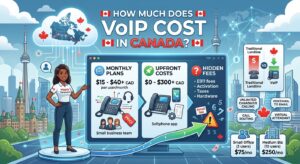
Small business phone systems in Canada fall into three types: simple analog multi-line systems (a self-contained hardware unit, no monthly service beyond phone lines, starting around $150–$500 one-time), on-premise IP PBX systems (a physical appliance you own and manage, from roughly $260–$700 upfront plus a SIP trunk service), and cloud-hosted PBX/VoIP platforms (no hardware ownership, billed per user monthly, typically $15–$40/user/month). Most small businesses today choose cloud-hosted, since it needs no IT staff and scales instantly, but on-premise still makes sense for regulated industries needing full data control, and simple analog systems remain the cheapest option for a business that just needs a few lines with no advanced features.
"Phone system" means something more specific than "phone service." A phone system is the actual architecture, whether that's physical hardware sitting in a closet, a cloud platform your team logs into, or a simple multi-line handset setup, that determines how your business answers, routes, and manages calls. This guide focuses on choosing the right system architecture and hardware for a Canadian small business. If you've already decided on a cloud VoIP platform and want detailed provider pricing and comparisons, see our companion guide to business VoIP providers in Canada.
On this page
- What Is a Business Phone System?
- The 3 Types of Small Business Phone Systems
- On-Premise vs. Cloud: CapEx vs. OpEx
- Which System Fits Your Business
- Analog Multi-Line Systems
- On-Premise IP PBX Systems
- Cloud-Hosted PBX Systems
- Canadian Regulatory Considerations
- Hardware Recommendations
- Total Cost of Ownership: 3-Year Comparison
- How to Choose: A Decision Checklist
- Signs You Need to Replace Your System
- Multi-Location Businesses
- FAQ
What Is a Business Phone System?
A business phone system is the combination of hardware and software that lets a company answer, route, hold, transfer, and manage phone calls across more than one line or person. The term covers a wide range of setups, from a simple two-line corded phone with a couple of extensions, to a PBX (Private Branch Exchange), the traditional switching hardware that connects internal extensions and routes outside calls, to a modern IP PBX or cloud-hosted platform that does the same job over the internet instead of physical phone lines.
The key distinction that matters most when choosing one is where the "brain" of the system lives. In an on-premise system, it's a physical box in your office. In a cloud-hosted system, it's a data center run by your provider, and you access it through apps and desk phones connected to the internet. In a simple analog system, there's no real "brain" at all beyond the console hardware itself, it's the most basic and most limited option, but also the cheapest and least dependent on anything else working correctly.
The 3 Types of Small Business Phone Systems
| System Type | Upfront Cost | Ongoing Cost | Best For |
|---|---|---|---|
| Analog multi-line system | $150–$500 (one-time) | Cost of physical phone lines only | Very small offices (1–10 stations) wanting simplicity with no internet dependency |
| On-premise IP PBX | $260–$700+ (appliance) plus IP desk phones | SIP trunk service (varies) plus your own IT maintenance | Businesses wanting full control and data sovereignty, or regulated industries |
| Cloud-hosted PBX / VoIP | $0–minimal (BYOD-friendly, desk phones optional) | $15–$40/user/month, scales with headcount | Most modern small businesses, remote or hybrid teams, fast-growing companies |
Pricing based on publicly available Canadian pricing for representative products and services as of September 2026. Actual costs vary by provider, business size, and features selected.
On-Premise vs. Cloud: CapEx vs. OpEx
The most fundamental difference between on-premise and cloud phone systems isn't features, it's how you pay for them. An on-premise system is a capital expenditure (CapEx): you buy the hardware outright, it's a fixed, one-time cost (plus ongoing SIP trunk or line charges), and you own it. A cloud-hosted system is an operating expense (OpEx): you pay a recurring monthly fee per user, with no large upfront purchase, but the cost continues indefinitely and scales up as you add staff.
This distinction matters for reasons beyond just cash flow. On-premise systems put your business in full control of security, data storage, and system configuration, which is genuinely important for regulated industries like legal and medical practices that must meet specific data privacy requirements. The trade-off is that your team (or a hired IT partner) is responsible for keeping the system updated, secure against toll fraud and vishing (voice phishing), and running, with no vendor automatically patching it for you. Cloud systems shift that responsibility to the provider, who pushes updates and new features to every customer without anyone touching hardware, but you're trusting a third party with your call data and depending entirely on your internet connection to make calls at all.
Which System Fits Your Business
Consider On-Premise If...
- You're in a regulated industry (legal, medical, financial) with strict data residency or privacy requirements
- You have in-house IT support, or a trusted managed IT partner, to maintain the system
- You want predictable, one-time hardware costs rather than an indefinite monthly bill
- Your internet connection has occasionally been unreliable, and full independence from it for internal calling matters to you
Consider Cloud-Hosted If...
- You have a remote or hybrid team working from multiple locations
- You don't have dedicated IT staff to maintain phone hardware
- You expect to add or remove staff regularly and want the phone system to scale instantly with you
- You want new features (AI transcription, CRM integration) added automatically without a hardware upgrade project
For most small businesses without a specific regulatory reason to keep data on-site, cloud-hosted has become the practical default, it's simply lower-friction to set up and grow with. On-premise remains a legitimate, sometimes necessary choice, not a legacy holdout, but it's the exception rather than the rule for a new small business setting up its first real phone system in 2026.
Analog Multi-Line Systems
Before assuming every small business needs internet-based calling, it's worth noting that simple analog multi-line phone systems still exist and remain the right fit for some very small offices. These are self-contained hardware units, typically a main console plus a small number of expandable cordless or corded handsets, that connect directly to physical phone lines rather than the internet. They include basic features like an auto-attendant, intercom between stations, and a shared answering system, but nothing close to the call queuing, CRM integration, or analytics of a modern platform.
The appeal is simplicity and independence: no internet outage can take down your phones, there's no monthly software subscription, and setup is genuinely plug-and-play with no IT knowledge required. The trade-off is that you're capped at a small number of lines and stations, and there's no meaningful path to advanced features without replacing the whole system later.
On-Premise IP PBX Systems
An on-premise IP PBX bridges the gap between old analog systems and cloud platforms: it's a physical appliance you own and that lives in your office, but it routes calls using IP (internet protocol) technology rather than old-fashioned analog switching, giving you most of the modern features of a cloud system, auto-attendant, voicemail-to-email, video conferencing, mobile app access, while keeping the actual system and its data under your own roof.
A typical setup uses a dedicated IP PBX appliance connected to your network, paired with IP desk phones for staff and a SIP trunk (an internet-based connection to the outside phone network) purchased from a provider. Modern IP PBX appliances scale from small single-office setups supporting a handful of extensions up to systems supporting thousands of users across multiple sites, and can often be paired with the vendor's own cloud remote-access tools to give remote staff secure access without exposing your network directly to the internet.
Worth knowing: on-premise IP PBX systems require someone, in-house or contracted, comfortable with basic network administration. Ports need to be configured correctly, firmware needs updating, and troubleshooting a registration or call-quality issue is a more hands-on process than opening a support ticket with a cloud provider. Budget for that expertise, whether that's existing staff time or a managed IT service, when comparing the true cost against a cloud alternative.
Cloud-Hosted PBX Systems
Cloud-hosted (or "hosted") PBX systems run the entire phone system in a provider's data center rather than your office. You connect through a desktop or mobile app, a browser, or an IP desk phone pointed at the provider's servers over the internet, and the provider handles all the underlying infrastructure, security patching, and feature updates. This is the fastest-growing category of small business phone system in Canada, and for good reason: it needs no on-site hardware investment, it scales up or down with headcount in minutes, and it's inherently built for remote and hybrid teams, since a staff member's extension works identically whether they're in the office or working from home.
We cover cloud PBX and business VoIP providers in Canada in detail, including exact per-user pricing from Ooma Office, Telus Business Connect, RingCentral, 8x8, and others, in our dedicated business VoIP Canada guide. As a general rule, expect entry-level cloud PBX pricing in the $15–$30 per user per month range, with mid-tier plans adding CRM integration and call recording in the $25–$50 range, and full enterprise packages running higher.
Canadian Regulatory Considerations
A few Canada-specific factors are worth checking regardless of which system type you choose. Any business phone system handling calls to and from the public network needs to support proper E911 (enhanced 911) functionality, meaning emergency services can be given an accurate physical address when someone dials 911 from your system, this is a CRTC requirement, not an optional feature, and reputable providers and PBX platforms build it in. If your business handles sensitive client data, legal, medical, and financial services in particular, check where a cloud provider actually stores call recordings and voicemail data, since data residency (whether information is stored on Canadian or foreign servers) can matter for compliance even when it isn't the primary factor in your system choice.
Hardware Recommendations
What you need to buy depends entirely on which system type you choose. Here's one real, current product for each major category.
VTech CM18445 4-Line Expandable Business Phone
Self-contained main console with answering system and auto-attendant, expandable to 10 stations with no internet required.
Check Price →Grandstream UCM6301 IP PBX Appliance
A complete on-premise IP PBX supporting FXO/FXS ports, video conferencing, and remote-access tools, for businesses wanting full system ownership.
Check Price →Yealink T33G Gigabit PoE IP Phone
Works with either an on-premise IP PBX or a cloud-hosted platform, entry-level 4-line desk phone with PoE support.
Check Price →TP-Link Archer AX55 WiFi 6 Router
Quality of Service (QoS) support keeps voice traffic clear on any IP-based system, on-premise or cloud.
Check Price →As an Amazon Associate, PlanGenius earns from qualifying purchases made through the links above, at no additional cost to you. Prices on Amazon.ca change frequently — always confirm the current price on the product page before buying.
Total Cost of Ownership: 3-Year Comparison
Comparing sticker prices alone misses the real cost picture. Here's a rough illustration for a 10-person office over three years, using representative pricing from this guide.
| System Type | Approx. 3-Year Cost (10 users) | What's Included |
|---|---|---|
| Analog multi-line | $500–$1,000+ line charges | Hardware once, ongoing basic phone line charges, no advanced features |
| On-premise IP PBX | ~$1,500–$3,000+ | Appliance, desk phones, SIP trunk service, and either staff time or a paid IT partner for maintenance |
| Cloud-hosted (mid-tier) | ~$9,000–$18,000 | Full per-user monthly billing at $25–$50/user/month across 10 users, no hardware or IT maintenance required |
The trade-off in one sentence: on-premise systems are cheaper over time if you already have (or don't mind paying for) the IT expertise to run them, while cloud systems cost more cumulatively but require none of that expertise or ongoing maintenance burden. Neither is objectively "cheaper," they trade money for internal effort in opposite directions.
How to Choose: A Decision Checklist
- Do you have in-house IT support or a managed IT partner? If not, lean cloud-hosted.
- Is your business in a regulated industry with data residency requirements? If yes, seriously evaluate on-premise, or a cloud provider with explicit Canadian data hosting.
- Is your team fully in-office, or remote/hybrid? Remote or hybrid teams are almost always better served by cloud-hosted.
- How many stations do you need, and is that number likely to change soon? A stable, very small headcount (under 5) might not need more than an analog system. A growing team benefits from cloud-hosted's instant scalability.
- What's your appetite for upfront cost versus ongoing cost? On-premise trades a bigger upfront purchase for lower ongoing cost; cloud does the opposite.
Signs Your Current Phone System Needs Replacing
If you already have a phone system and are wondering whether it's worth switching, a few practical signs are worth watching for rather than replacing hardware purely because it's aging. Frequent dropped calls or persistent one-way audio issues that a technician can't permanently resolve usually point to hardware nearing end-of-life rather than a fixable configuration problem. If adding a single new employee means calling a technician to physically wire a new extension, rather than assigning a login in a web dashboard, that's a strong sign your system's growth cost no longer matches how a modern small business actually operates. Similarly, if remote or hybrid staff are working around your phone system, forwarding calls to personal cellphones, missing the auto-attendant entirely, using a separate messaging app for anything urgent, the system is already functionally obsolete for how your team works, whether or not the hardware itself still technically functions.
On the other hand, a working analog or on-premise system that meets your current needs, with no growth or remote-work pressure forcing the issue, doesn't need replacing just because cloud alternatives exist. Migration has real cost and disruption, and "newer" isn't automatically "better" for a stable small office whose current setup genuinely works.
Multi-Location and Growing Businesses
Businesses operating across more than one physical location face a specific version of this decision. An on-premise PBX at each site can be linked together, but doing so typically requires a dedicated data connection between locations and more advanced configuration than a single-site setup, adding real cost and complexity as you add locations. Cloud-hosted systems handle multi-location businesses far more naturally, since every extension, regardless of physical location, is really just an account on the same central platform, a new office can be up and calling as soon as staff have internet access and a login, with no site-to-site networking project required. This is one of the clearest cases where cloud-hosted's advantages compound: the more locations or the more frequently a business expects to open new ones, the stronger the case for cloud-hosted over managing multiple on-premise systems.
Frequently Asked Questions
What is the difference between a PBX and a phone system?
A PBX (Private Branch Exchange) is the specific switching technology that routes calls between internal extensions and the outside phone network. "Phone system" is the broader term for the complete setup, PBX or otherwise, including hardware, software, and phones, that a business uses to handle its calls.
Is cloud PBX better than on-premise PBX for a small business?
For most small businesses without specific regulatory requirements or in-house IT staff, cloud PBX is the more practical choice, since it needs no hardware investment, scales instantly, and receives feature updates automatically. On-premise PBX remains the better choice for businesses needing full control over data storage and security, or those with existing IT expertise to maintain it, since it can be cheaper over time and doesn't depend entirely on an internet connection for internal calling.
How much does a small business phone system cost in Canada?
A basic analog multi-line system costs roughly $150 to $500 as a one-time hardware purchase. An on-premise IP PBX appliance costs roughly $260 to $700 or more upfront, plus desk phones and an ongoing SIP trunk service. Cloud-hosted PBX systems are billed per user, typically $15 to $40 per user per month, with no significant upfront cost.
Do I need an IT person to run an on-premise phone system?
Basic setup of a small on-premise IP PBX is manageable without dedicated IT staff, but ongoing maintenance, security updates, and troubleshooting registration or call-quality issues are more hands-on than with a cloud system. Many small businesses without in-house IT choose to work with a managed IT provider for this, which should be factored into the true ongoing cost.
Can I keep my phone system working during an internet outage?
A traditional analog multi-line system continues working during an internet outage, since it doesn't depend on internet connectivity at all. Both on-premise IP PBX and cloud-hosted systems depend on internet access to place and receive calls, though an on-premise system may still allow internal extension-to-extension calling during an outage if configured to do so.
What is E911 and why does it matter for a business phone system?
E911, or enhanced 911, is the requirement that a phone system provide emergency services with an accurate physical address when someone dials 911. This is a CRTC requirement in Canada, not an optional feature, and applies to VoIP-based business phone systems specifically, since unlike a traditional landline, an internet-based line isn't automatically tied to one physical location.
Can I switch from an on-premise system to cloud later, or vice versa?
Yes, businesses migrate between system types as their needs change, most commonly moving from an aging on-premise system to cloud-hosted as staff shift to remote or hybrid work. The main practical consideration is porting existing phone numbers to the new system and planning a short overlap period to avoid missed calls during the transition.
Compare cloud VoIP providers for your business
See exact per-user pricing and features from every major business VoIP platform in Canada.
See Business VoIP Providers →